
How to install and configure termux on Android

Note: don’t install from the Google Play Store, it is a highly stripped-down version of the original

The options present in my own priority order

  1. Download from GitHub releases

  2. Download using Fdroid

download from GitHub releases

Just go to GitHub releases, download the APK, and install it. We will see configuration steps later !
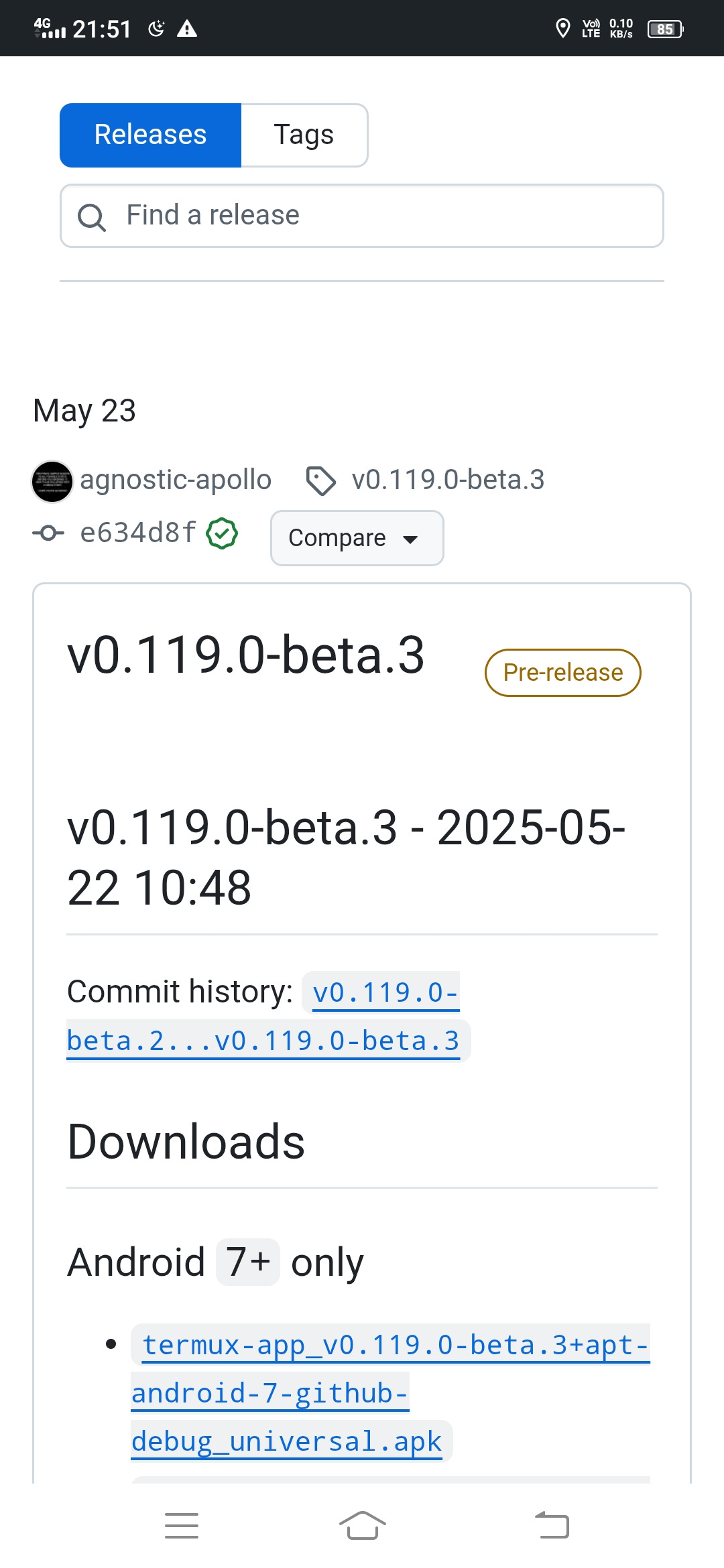
The only downside is you need to redownload on each release

download using FDroid

You can use Fdroid as package manager instead of Google play store

Now download completed what’s next

  • setup the nearest mirrors using termux-change-repo

  • setup the storage using termux-setup-storage

  • Do update and upgrade

termux configure nearest mirrors

Run termux-change-repo
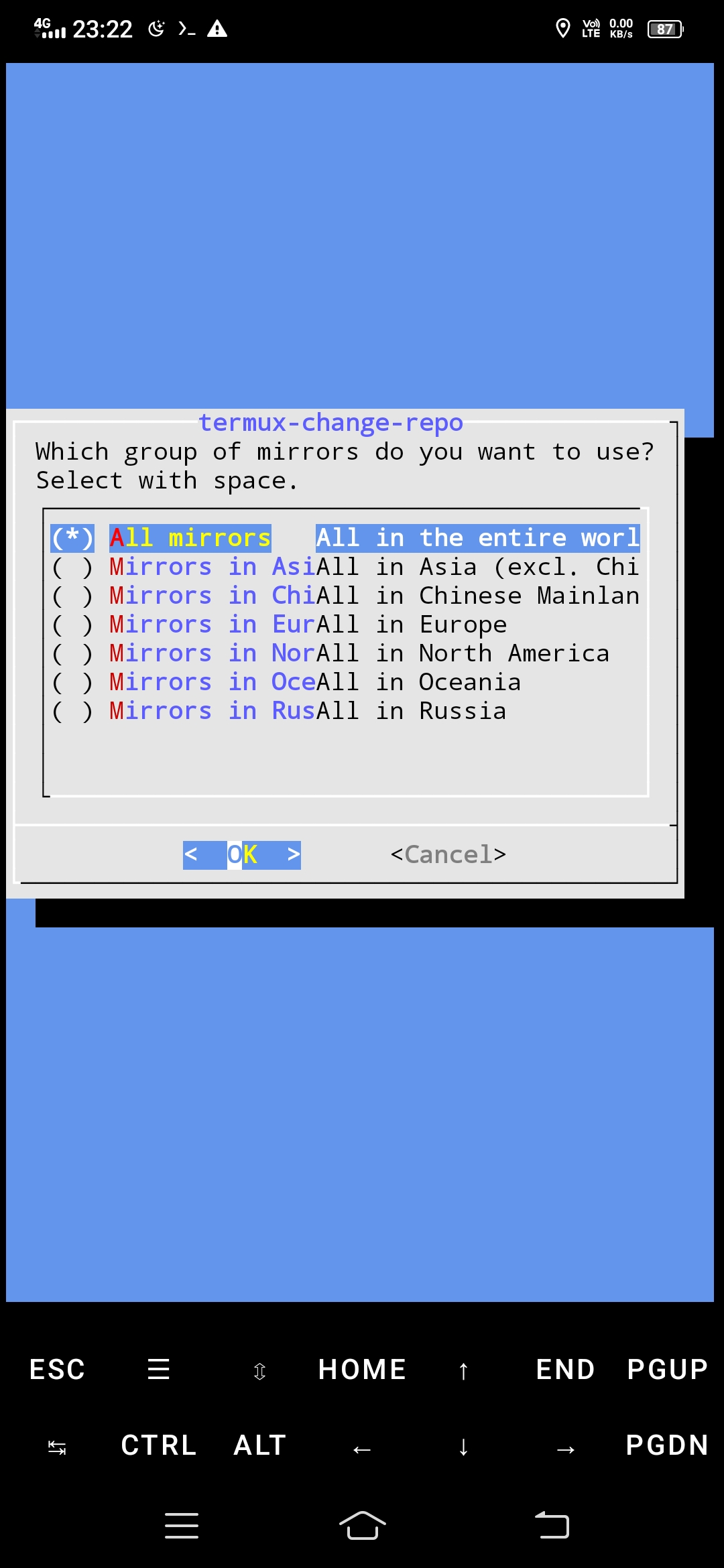
And it will scan all the nearest repos and configure the default one which is the nearest

setup storage using termux-setup-storage

It usually asks for some permissions and do some storage setup don’t remember what is actually do but used it to fix a problem some time ago

do some PKG update and upgrade

Run command 

pkg update && pkg upgrade 

This will update and upgrade your system

Any further upgrades will be added you can also suggest edits I know my English may be bad I will read this once in a while and update it

Comments

Popular posts from this blog

Introduction to Protocol Buffers (Protobuf): A Compact and Efficient Data Serialization Format πŸš€

In the world of software development, communication between systems, especially distributed systems, is crucial. Whether it's for sending data over a network, storing information, or inter-process communication, the format of data exchanged plays a significant role in the efficiency and ease of use. One such data serialization format that has gained widespread popularity is Protocol Buffers (Protobuf) . πŸ’Ύ What is Protocol Buffers? πŸ€” Protocol Buffers, commonly known as Protobuf , is a lightweight and language-neutral data serialization format developed by Google. It allows for the efficient and structured representation of data, making it an excellent choice for communication between services, storing data in files, or for persistent data formats. Protobuf works by defining data structures in a language-agnostic way, and then compiling these definitions into source code that can be used across various programming languages such as Java, C++, Python, and more. 🌐 Why Should Y...

Decoupling APIs Using Message Queues: Building Fault-Tolerant Applications πŸš€

  Decoupling APIs Using Message Queues: Building Fault-Tolerant Applications πŸš€ In the fast-paced world of modern software 🌐, seamless communication between services is a cornerstone of effective system design. However, what happens when your API sends a request, and the server at the other end is busy—or worse, the request gets dropped? 😱 It’s a scenario many developers dread, but with proper design patterns, you can make your applications robust and fault-tolerant. One of the most powerful tools to address this challenge is Message Queues (MQs) πŸ“¨. In this blog, we’ll explore how decoupling APIs using MQs can transform your application into a more resilient system πŸ’ͺ. The Problem: Busy Servers and Dropped Requests ❌ In traditional client-server architecture, a client sends a request to the server, and the server processes it synchronously. This works fine until: The server is overwhelmed : High traffic spikes πŸ“ˆ can cause bottlenecks. Requests are time-sensitive : A de...